A leaked password on its own is no longer enough. Tessera is where your codes live: in an encrypted file on your Mac, offline, with no account.
What you are looking at
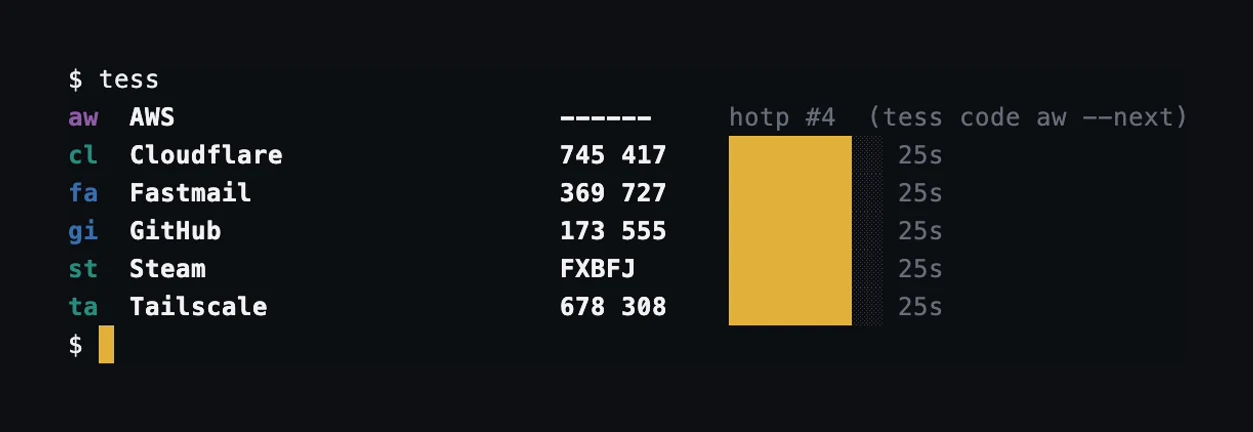
Each line in the terminal above is one account. From the left: a short handle you can type (gi), the service, the code, and how long it stays valid. An hotp account counts instead of ticking, so it shows a counter and waits for you to ask for the next code. A Steam Guard code is five letters and digits. The app shows the same accounts as tiles with a ring that drains over the 30 seconds.
Setting it up
-
Pick where your codes live
Open the app and it creates a vault sealed by your Mac's Secure Enclave. In the terminal, run tess vault init and choose a passphrase you will remember: it is the one thing that cannot be reset. The app can take a passphrase too, under Settings, Recovery passphrase.
-
Bring your accounts in
On a site's security page, choose “authenticator app.” Scan the QR with the app, or paste the otpauth link. Moving from Google Authenticator? Export and import the whole set at once.
-
Use a code when asked
When a site asks for a 2FA code, open Tessera, copy the six digits for that account, and paste. They refresh every 30 seconds, so grab the current one.
Keep a way back in
Most sites give you recovery codes when you turn 2FA on. Store them somewhere that is not Tessera. Back the vault up with tess export --file backup.json, or the app's encrypted export, and keep your passphrase in a password manager.
Questions with answers on /support.